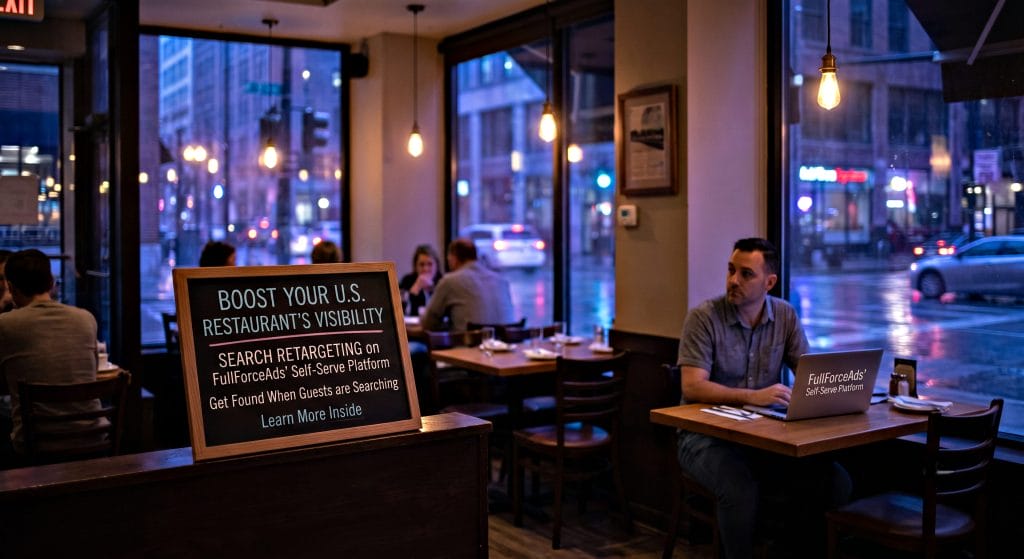
When diners type “best pizza near me” or “family‑friendly brunch in Austin” into a search engine, they’re already in a buying mindset. Yet, many restaurants lose that opportunity because the ad that appears isn’t tailored to the user’s previous interaction with the brand.
Search retargeting solves this gap. It serves ads specifically to people who have already visited your website, viewed your menu, or started an online reservation, reminding them of what they loved (or nudging them toward what they missed). In the highly competitive U.S. dining market, that extra touch can be the difference between a one‑time click and a recurring table.
FullForceAds is a self‑serve, data‑driven advertising platform that puts the power of search retargeting directly in the hands of restaurant owners and marketers. No agencies, no hidden fees, and no “set‑it‑and‑forget‑it” black boxes. Here’s what makes FullForceAds uniquely suited for U.S. restaurants:
| Feature | Benefit for Restaurants |
| Intuitive Dashboard | Create, edit, and pause campaigns in minutes—no code required. |
| Geo‑Targeting at ZIP‑Code Precision | Show ads only to diners within a 5‑mile radius of your location, or expand to neighboring towns for delivery concepts. |
| Dynamic Menu Ads | Pull the latest specials, seasonal dishes, or happy‑hour offers straight from your POS or menu management system. |
| Bid Automation with ROAS Controls | Set a target return on ad spend; FA’s engine automatically adjusts bids to stay within budget while maximizing bookings. |
| Built‑In Attribution | Track the exact path from ad click to reservation, take‑out order, or loyalty sign‑up. |
| Compliance‑Ready Creative Specs | All ad formats meet modern digital ad experience guidelines, ensuring ads are approved instantly. |
Because FA is self‑serve, you retain full control over budgeting, creative, and audience segmentation, critical for restaurants that need to react quickly to local events, weather, or inventory changes.
The flow is simple enough for a single‑person marketing team yet robust enough for multi‑location chains.
Each goal should have its own conversion pixel (e.g., ReservationConfirmed) so FA can attribute ROAS accurately.
| Segment | Typical Behavior | Suggested Creative |
| Menu Viewers | Looked at appetizers or entrees | “Still craving that shrimp cocktail? Book a table now — 10% off your first order.” |
| Cart Abandoners | Added items to cart, left site | “Your pizza is just a click away! Complete your order for free garlic knots.” |
| Reservation Starters | Started a reservation but didn’t finish | “Reserve your spot in 30 seconds. Use code QUICK20 for a complimentary drink.” |
| Past Diners (30–60 days) | Completed a visit | “We miss you! Come back this week and enjoy a free dessert.” |
FA’s platform includes a real‑time compliance checker that flags low-quality or non-compliant language before the ad goes live.
FA’s dashboard provides a single‑click “duplicate” function, making it effortless to spin up new variations.
Below is a step‑by‑step roadmap you can follow, adapted directly from Full Force Ads’ own Launch Strategy guide available at FullForceAds.com/launch-strategy:
| Step | Action | Timeframe |
| 1. Install Pixel | Paste the pixel code on the home page and checkout/cart pages. | Day 1 |
| 2. Set Up Conversions | Define ReservationConfirmed, OrderCompleted, and LoyaltySignup. | Day 1 |
| 3. Build Audiences | Create at least four segments (Menu Viewers, Cart Abandoners, Reservation Starters, Past Diners). | Day 2 |
| 4. Draft Creative | Use FA’s template library; include local landmarks in images for relevance. | Day 2–3 |
| 5. Configure Geo‑Targeting | Target ZIP codes within a 10‑mile radius of each location; exclude competitor zones. | Day 3 |
| 6. Set Bids & Budgets | Start with a $25 daily budget per location; CPA goal $10–$15 for reservations. | Day 4 |
| 7. Launch Campaign | Click “Go Live.” Monitor initial impressions for the first 2 hours. | Day 5 |
| 8. Optimize Within 48 hrs | Pause under‑performing ads (<0.8% CTR), increase bids on high‑value segments. | Day 6–7 |
| 9. Scale | Add new creative for upcoming holidays; expand radius by 5 miles if ROAS > 4. | Week 2–4 |
| 10. Report | Export weekly performance report; compare against baseline foot‑traffic data. | Ongoing |
Following this structured launch accelerates time‑to‑value and ensures you stay compliant with platform quality benchmarks and search visibility standards automatically enforced by FullForceAds’ validation engine.
| Restaurant | Market | Goal | Results (90‑day) |
| Bistro 21 (Chicago, IL) | Upscale bistro | Increase dinner reservations | +32% reservation lift; CPA fell from $18 to $11. |
| Taco Town (Albuquerque, NM) | Fast‑casual | Boost online orders | +45% order volume; ROAS 5.8x. |
| Sunset Grill (San Diego, CA) | Coastal seafood | Grow loyalty sign‑ups | +28% new members; average ticket rose $4. |
| Mama’s Pizza (Boston, MA) | Family‑friendly | Reduce cart abandonment | +22% completed orders; reduced abandonment from 68% to 41%. |
Each campaign leveraged search retargeting on FullForceAds, proving that the platform works across cuisine types, price points, and geographic regions.
Staying ahead of these innovations will keep your restaurant at the forefront of digital dining experiences.
Ready to start? Walk through the complete launch process at FullForceAds.com/launch-strategy and watch your tables fill up.
Search retargeting is no longer a “nice‑to‑have” tactic; it’s a must‑have for any U.S. restaurant that wants to capture high‑intent diners and turn web traffic into real‑world revenue. By using FullForceAds’ self‑serve platform, you gain:
Give your restaurant the digital edge it deserves. Install the Full Force Ads pixel, set up your first search retargeting audience, and start turning curiosity into cravings, one click at a time.
Happy hunting, and may your tables always be full!