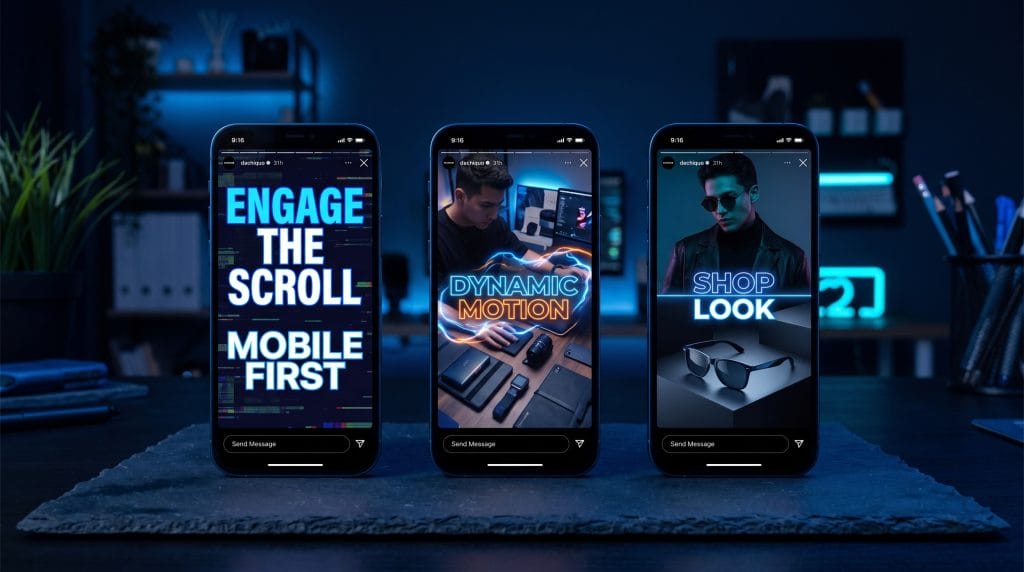
Designing for mobile is not about squeezing a widescreen story into a tall frame. It is about using the portrait display for what it is: a full screen that takes up a person's whole field of vision.
If you are editing video or directing design, moving from 16:9 to 9:16 means changing how you handle spacing, pacing, and visual focus.
Cropping a horizontal video to fit a vertical frame usually looks bad. Chopping off the sides cuts out important action, crowds your subject, and ruins the original framing.
People hold their phones vertically almost all the time. Full-screen vertical video fills the entire screen, which cuts out notifications and app clutter.
Building for this shape means designing top-to-bottom rather than left-to-right. Put the main action in the upper-middle area and keep supporting text or product details below it. Tight shots work best here, especially for faces and single items. When you shoot new footage, record in high resolution using portrait guides, or shoot vertically from the start to keep the image crisp.
Every vertical app places buttons and text over your video. Usernames, captions, like icons, and audio labels routinely block the edges of your shot.
| Screen Area | Safe Zone Dimension | Usage Guidelines & Restrictions |
| Top Area | Top 15% | Keep headlines, logos, and main subjects out of this space so progress bars and account headers do not cover them. |
| Bottom Area | Bottom 20 to 35% | Keep action and text out of the bottom third, where app captions, hashtags, and action buttons sit. |
| Right Side | Right margin (15 to 20%) | Leave room on the right side so like, comment, and share buttons do not block visual elements. |
Turn on layout overlay guides in Premiere, After Effects, or Figma before you place your elements, then check the file on an actual phone before publishing.
Mobile users watch video everywhere, sometimes muted on a train, sometimes with headphones turned up. Your creative needs to make sense in both situations.
When audio is muted, big, clean typography and captions carry the message. Animating text word-by-word to match the spoken cadence helps keep attention.
When audio is on, sound effects, voiceovers, and audio cues add impact to on-screen motion. Pairing a clear voiceover with on-screen text makes sure the main point lands no matter the volume setting.
Pro Tip: Stick with bold sans-serif fonts using drop shadows or solid background blocks to keep text legible, and keep your typography inside the safe zone.
Feeds scroll fast, and people decide whether to stay or swipe in a fraction of a second. The first few frames determine if anyone watches the rest.
Show the payoff first: Reveal the final result or transformation right at the start, then show how you got there.
Most brands hit a growth wall for one basic reason: they spend all their ad money in two places, Google and Meta, and ignore everywhere else their buyers spend time.
Start with motion: Lead with a jump cut, a fast zoom, or a moving subject instead of a slow fade or logo screen.
Put the hook in text: Use big, clear text on the first frame that states the main point or problem right away.
Pick up the edit pace: Quick cuts every second or two keep the viewer from scrolling past.
For ten years that setup worked fine. You split a budget between search keywords and social feeds, paid the rising cost per click, and tolerated whatever algorithm changes came down the pipe. But consumer habits shifted. People do not spend their whole day on two platforms. They stream shows on Roku or Hulu in the living room, listen to podcasts on the morning commute, play mobile games at lunch, and read niche sites on a tablet before bed. If your budget stops at social feeds and search boxes, you miss most of the day.
Full Force Ads, based in Utah, was built around that shift. We run an independent programmatic platform that gives businesses direct access to digital inventory across all major screens, without the markups, retainers, or platform restrictions of standard agencies.
Here is how modern programmatic advertising actually works, why channel diversification matters, and how custom targeting helps you run circles around basic ad setups.
Effective advertising is not about finding one magical platform. It is about keeping a steady, relevant presence everywhere your target customer goes online.
Channels handle distribution, but targeting dictates your return on spend. Standard platforms rely on basic age buckets and broad interest tags. We use data layers built around real-world actions, verified home addresses, search keywords, and actual foot traffic.
Running a multi-channel campaign takes more than cropping a horizontal desktop image. Most media consumption happens on phones, so creative assets need to fit vertical screens and fast-scrolling habits.
Some brands want our media strategists to handle execution end-to-end, while others want direct control over their buying. We built FullForceAds.app for teams that prefer a hands-on approach.
The platform lets agencies, local businesses, and in-house teams bid directly on Streaming TV, audio, mobile, video, and display inventory from a single dashboard. You can upload custom address lists, set up geofences, configure search terms, and monitor campaign performance live without managing multiple ad accounts.
Different business outcomes demand different channel setups:
| Objective | Primary Channels | Precision Targeting | Expected Outcome |
| Local Market Awareness | Geofencing, Display, Mobile | Radius geofencing, local address lists | Saturate target neighborhoods with high-frequency touchpoints. |
| Conquesting Competitors | Geofencing, Addressable, Native | Polygons around rival storefronts and trade events | Intercept warm prospects while they visit competitors. |
| National Brand Building | Streaming TV, Video, Audio | Behavioral demographics, contextual relevance | Reach household decision-makers on living room screens. |
| Driving Web Traffic | Display, Native, Search Retargeting | Keyword search retargeting, contextual matching | Intercept active buyers while they research solutions online. |
| Recovering Abandoned Traffic | Site Retargeting, Display, Video | Dynamic visitor retargeting | Bring past site visitors back to finish a purchase or form. |
| B2B Account Prospecting | Addressable, Streaming TV, Native | B2B CRM lists, matched business addresses | Reach decision-makers at the office and on home devices. |
We launch and optimize campaigns through four steps:
Reporting is fully transparent. You can see the exact publishers and apps where your ads appeared, track physical store visits tied to geofencing campaigns, and measure conversion paths across devices.
Maintaining a consistent presence across streaming, audio, and display channels also improves search performance. When audiences see your brand across multiple screens, branded search volume increases. That organic demand signals authority to traditional search engines and AI discovery tools alike, helping your business stay visible wherever customers research solutions.
If you are ready to expand beyond traditional search and social ads, visit Full Force Ads to explore our channel options, book a discovery call, or launch a campaign through FullForceAds.app.