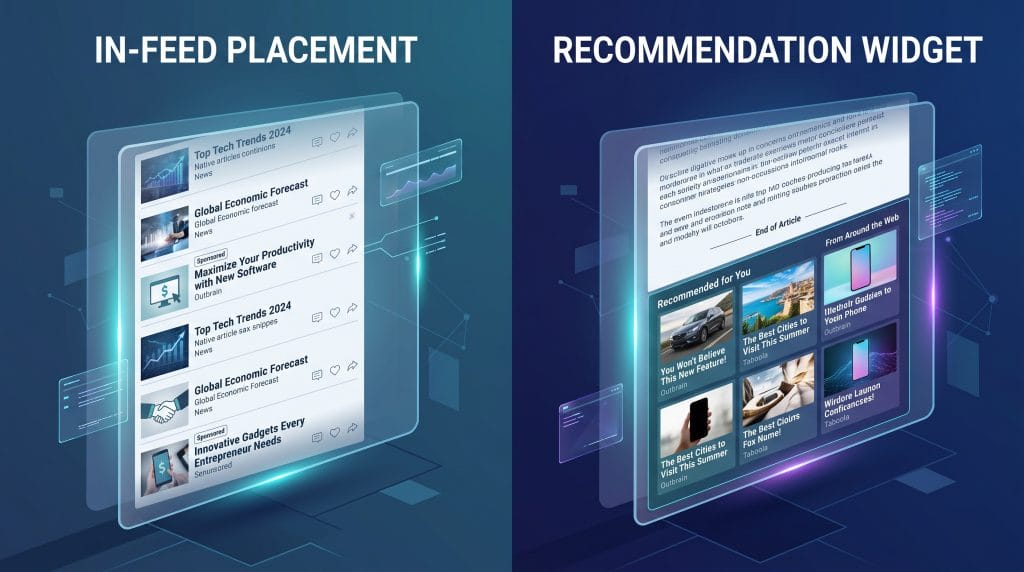
Native Ads: In-Feed Placements vs. Recommendation Widgets
Native ads blend into the page, but where you put them changes how people read them. Deciding between in-feed spots and recommendation widgets is mostly about when you want to interrupt someone.
| Format | Placement & Behavior |
| In-Feed Placements | Sits inside social networks, news feeds, or transactional streams like LinkedIn. Intercepts people as they scroll past to grab quick visual focus. |
| Recommendation Widgets | Sits at the bottom or along the side of news articles, like Taboola or Outbrain placements. Appears as image grids under headers like "Around the Web" to catch people who just finished reading. |
The performance gap between these choices comes down to what the reader is doing when they see the ad.
Figure out the economics by weighing click costs against how well the traffic converts downstream.
| Metric | In-Feed Placements | Recommendation Widgets |
| Main Funnel Stage | Top and middle funnel (awareness, consideration, lead forms) | Bottom funnel (direct response, story-driven discovery) |
| Cost Profile | Higher per click and impression | Lower per click and impression |
| Targeting | Platform data, job titles, direct interests | Device, location, publisher topic |
| Creative Assets | Social video, carousels, image cards | Curiosity headlines, thumbnail graphics, pre-sell articles |
| How It Scales | Expanding audience filters inside one platform | Tapping network volume across thousands of publisher sites |
| Best-Fit Products | B2B software, app installs, premium products | Consumer goods, subscription boxes, lead generation articles |
| Conversion Path | On-site forms, store pages, short landing pages | Editorial pages, advertorials, checkout funnels |
Low customer acquisition cost is your primary metric.
For about ten years, the default strategy was predictable: spend money on paid search, buy space in social media feeds, hire someone to tweak your SEO, and wait for customer acquisition costs to settle. That loop does not work the way it used to. Ad budgets are stretching, click rates are down, and the big platforms return less for every dollar spent.
You want heavy traffic at low click costs sent to a pre-sell article or long sales page.
You plan to test dozens of headline and image variations fast.
Part of the issue is how people actually use screens now. Nobody sits inside a single app feed all day. A typical morning involves streaming a show in the living room, listening to a podcast on the drive to work, checking local news on a phone, and reading articles across several independent sites. Relying strictly on search ads or social feeds cuts off most of that time.
That shift is why more teams are moving toward programmatic advertising across multiple screens instead of treating each channel as its own island. Full Force Ads, based in Utah, operates in that space as an independent programmatic partner. The company runs its own platform to place ads across connected TV, digital audio, mobile apps, native placements, and display, without leaning on Meta, Google Ads, or organic SEO.
The setup runs on two models. Enterprise clients can use managed strategy services through Full Force Ads, while teams that prefer direct control can manage campaigns themselves through Full Force Ads App.
The traditional approach hit a ceiling: inventory got crowded, bidding got expensive, and people stopped paying attention.
When every business in a category competes for the exact same spots on two or three networks, costs go up fast. At the same time, people have learned to ignore sponsored posts, swiping past them in less than a second.
THE MODERN CONSUMER JOURNEY

[ Living Room ] ----> Streaming TV (Roku, Fire TV, Hulu)
[ Morning Commute ] -> Digital Audio (Spotify, Podcasts)
[ Workstation ] ----> Contextual Native Content & Display
[ On-the-Go ] ------> Location-Aware Mobile & Geofenced Retargeting
Most buyers spend hours every day consuming media outside social apps. They watch streaming TV, listen to digital audio, use mobile apps, and read news sites. Restricting ad spend to one or two major platforms leaves most of that time untouched.
Instead of forcing a brand into one format, a multi-screen campaign uses a mix of media types depending on where the user happens to be:
For details on how these formats fit into a media plan, visit Full Force Ads Advertising Solutions.
Placing an ad on a good site only matters if the right person sees it. Older campaigns relied on broad demographic buckets, which wasted money on people who were never going to buy. Programmatic buying uses specific location and intent data instead.
FULL FORCE ADS TARGETING LAYERS

[ Geofencing ] -------> Physical Footprint & Competitor Locations
[ Addressable ] ------> Direct Household CRM & Direct Mail Matching
[ Site Retargeting ] -> Intent Re-engagement for Past Visitors
[ Search Retargeting]-> Real-time Keyword & In-Market Intent
[ Contextual ] -------> Deep Topic & Editorial Relevance Alignment
In native advertising, structural choices change how the campaign performs. The two main options are in-feed placements and recommendation widgets.
| Feature | In-Feed Placements | Recommendation Widgets |
| Placement Location | Inside main content stream | Bottom of article or sidebar |
| User Intent | Active reading and scrolling | Post-reading discovery |
| Primary Objective | Direct conversion | Scale and awareness |
| Creative Style | Matches article layout | Curiosity-driven headlines |
In-feed native formats sit inside the main body of a site or app, using the same fonts, cards, and spacing as the surrounding editorial content. They work best for direct response campaigns and product showcases because readers see them while actively reading.
Recommendation widgets sit at the bottom of a page or in a sidebar grid, usually under labels like "Promoted Stories." They work best for content distribution, opinion pieces, and broad awareness. Readers reach them when they finish an article and look for what to read next, making these placements cost-effective for reaching large audiences.
Different business goals call for different combinations of channels and targeting tactics:
Different organizations need different levels of hands-on control, so Full Force Ads offers two operating paths:
FULL FORCE ADS DEPLOYMENT MODEL

[ Full Force Ads Enterprise Agency Service ]
-> Full-service strategy, custom execution, dedicated optimization

[ FullForceAds.app Self-Serve Platform ]
-> Direct platform access, instant campaign control, self-managed
The enterprise team at Full Force Ads handles campaign planning, strategy, setup, optimization, and reporting. This path suits teams that want an outside partner to manage campaigns across TV, audio, mobile, and display without juggling several different point solutions. Setup takes five to seven business days, with weekly reports tracking impression quality and conversions. Learn more at the Full Force Ads Advertising Solutions Hub.
For internal marketing teams, agencies, and independent buyers, Full Force Ads App is the self-serve alternative. Users can upload creative assets, draw geofence boundaries, set audience criteria, and launch multi-screen campaigns on their own timetable.
Moving to a programmatic structure follows four basic steps: